
 English
 Italiano
Clear RFQs.
Instant
decisions.
At last, a simple way to run every request for quotation in one structured place. No scattered email threads. No manual comparisons. No spreadsheets.
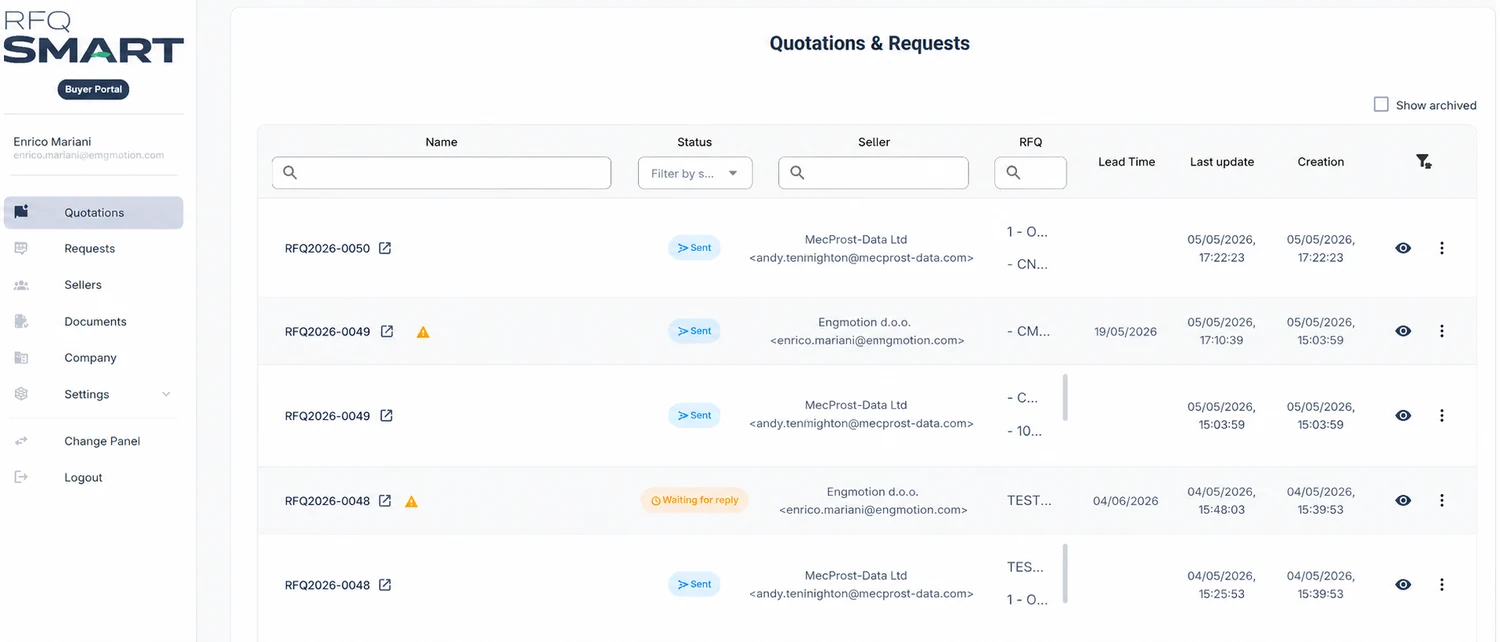
The entire RFQ process, finally in the right place — one click away.
Today, every request for quotation costs you time, energy and control. RFQ Smart takes the busywork off your desk and gives back the visibility you need to decide.
Genuine speed
Build an RFQ in minutes. The platform sends it to every supplier you select, automatically. Zero red tape.
Comparison at a glance
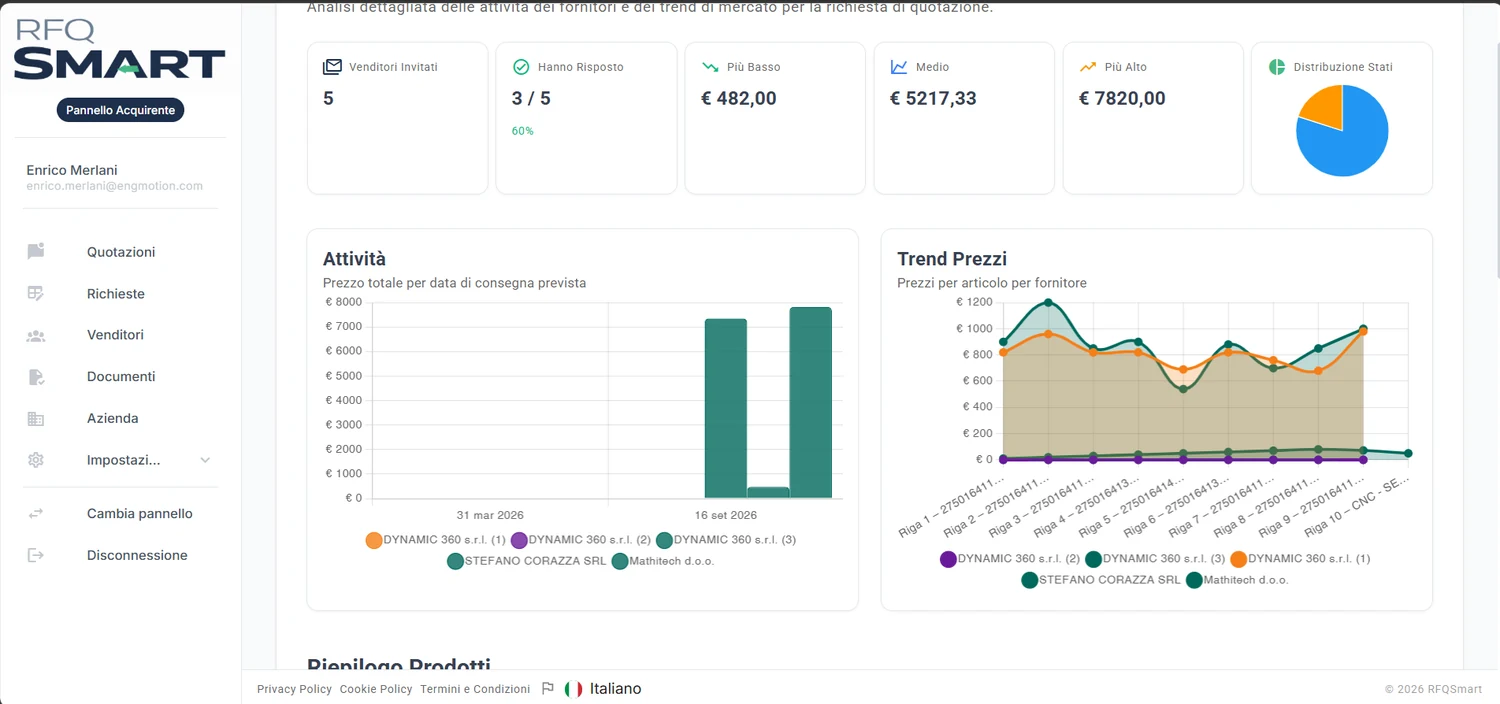
Prices, lead times and terms side by side in one clear dashboard. Pick the best combination in seconds.
Your history becomes an asset
Every RFQ stays archived. Every quote stays retrievable. When the team changes, the knowledge stays.
Full traceability
The platform sends, tracks and collects. You handle the strategy, not the admin.
One shared workspace
Buyers and suppliers work on the same data. No conflicting versions, no attachments overwriting each other. One transparent system that speaks to both sides.
Zero friction for suppliers
Every supplier receives a unique link. No sign-up required. They reply straight away, guided step by step.
Six steps. Zero complexity.
From your first login to the comparison dashboard, the process guides you all the way.
Create the RFQ
Fill in the fields and attach technical documents, drawings and specifications.
Choose your suppliers
From your own list, imported from Excel or CSV, or added on the spot.
Automatic dispatch
A unique link for each supplier. No registration required.
Guided quotes
Suppliers submit prices and lead times in a structured format.
Comparison dashboard
Price and lead time in one instant score. Decide in seconds.
Archiving
RFQs, quotes and documents — always retrievable.
From admin work to strategy.
Stop chasing emails and rebuilding spreadsheets. You hold full control of the process, from creating the RFQ to choosing the supplier.
- ✓Create and send RFQs in minutes
- ✓Import your supplier database from Excel or CSV
- ✓The platform sends, tracks and collects automatically
- ✓Automatic comparison of prices and delivery times
- ✓A combined Price + Lead Time score, so you can decide on the spot
- ✓A complete history, archived and always retrievable
Four steps. No complications.
Receive the request, submit your quote, follow the outcome. No forced sign-ups, no software to install.
Receive the link
No registration required. Open the link and you’re in.
Read the RFQ
Drawings, specifications and quantities, already organised and ready to download.
Submit your quote
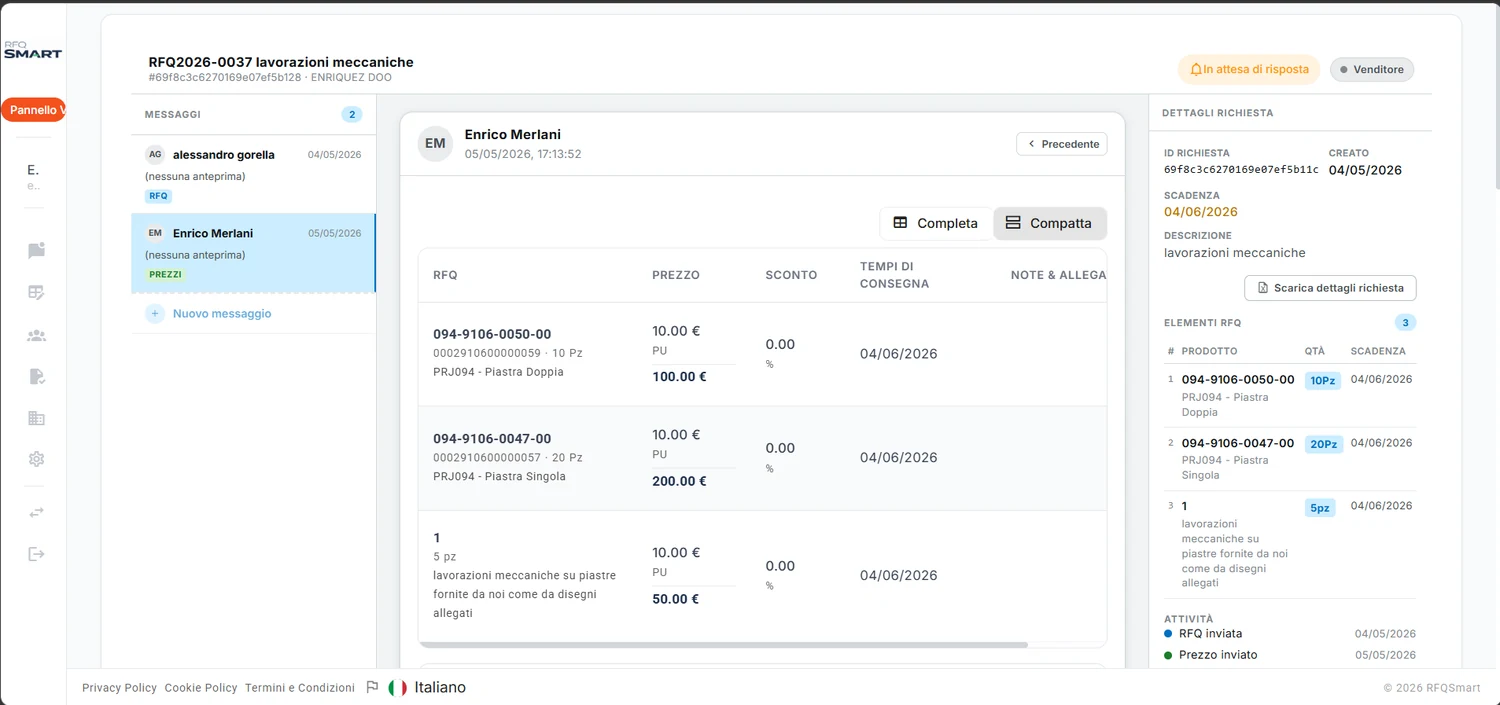
Prices, lead times and notes in a guided, structured workspace.
Track the outcome
Know whether you’ve won, lost or you’re still in the running. Always up to date.
From quoting to knowing.
It isn’t just where requests land. It’s where you see where you win, where you lose, and which products and margins you’re really working on.
- ✓Receive and answer RFQs — open the link and send
- ✓No registration required to get started
- ✓Prices, lead times and terms entered in a guided workspace
- ✓A full quote history, archived with every revision
- ✓Manage standalone quotes too, not only the RFQs you receive
Frequently asked questions
- Documents: PDF, Excel, Word, CSV
- Technical drawings and 2D/3D CAD: STEP, IGES, DXF
- Electronics: Gerber files (GBR, GTL, GBL)
- BIM and other commonly used technical formats
Simple plans. Coming soon.
Free to get started. Premium for advanced features. We’re finalising the plans.
Ready to run it all
the smarter way?
Beta is live. Free access. No credit card required.